OutputInsights
OutputInsights is the best way to view your Peloton workouts and track progress. With full metrics for each workout, charts to view trends over time, a personal record gallery, and workout comparisons staying motivated has never been easier. With OutputInsights Pro you can quickly update favorites, add rides back to your stack, and dig deeper into trends and metrics..
Highlights
Deep dive into the capabilities that make OutputInsights the best way to view your Peloton workouts
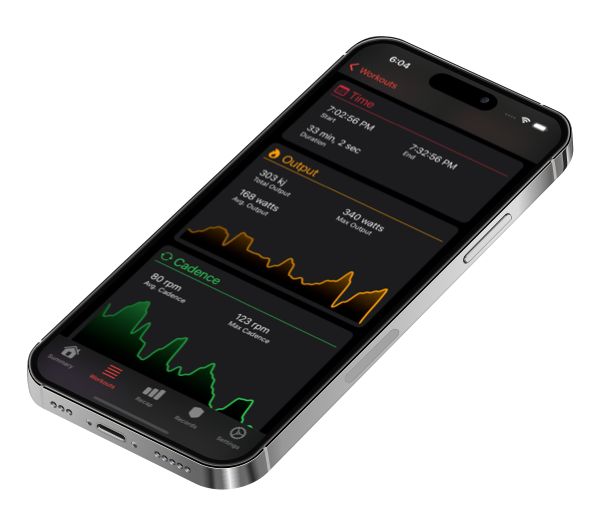
Detailed Metrics
Graphs and metrics for each workout provide clear insights into each workout. Compare your results to target metrics to stay or track. View previous attempts to see progress over time.
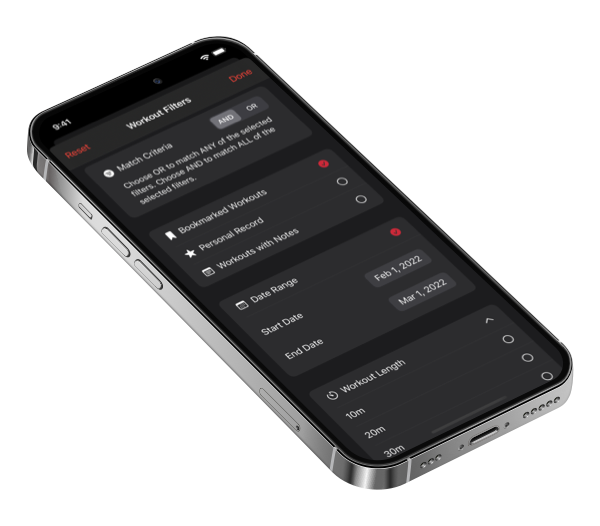
Powerful Search & Filtering
The workout log provides intuitive filtering and search tools to help you find any past workout. Filter by instructor, date range, bookmarked classes, personal records, and more. Workouts are organized by week to give you clear insight into your training history.
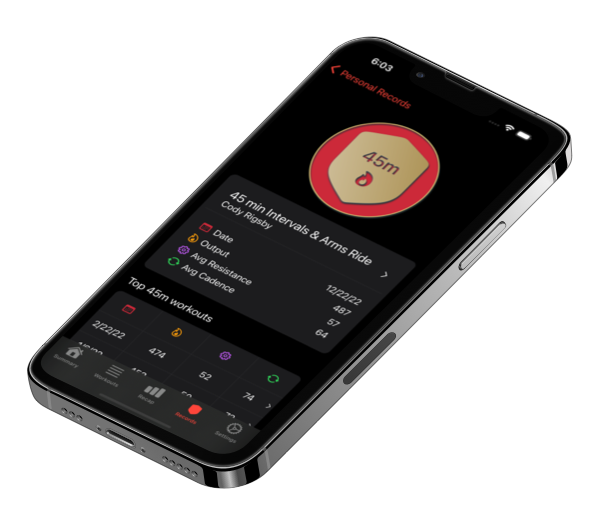
Personal Records
Showcase your all-time or yearly best efforts for every workout length. With OutputInsights Pro you can compare the top efforts for each workout length.
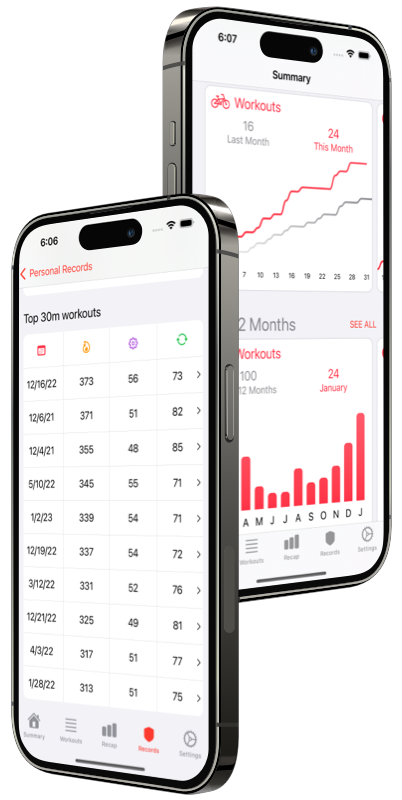
Get The Most Out Of OutputInsights With OutputInsights Pro!
- Add classes to your stack directly from OutputInsights.
- Add and remove bookmarks for your favorite classes.
- View all attempts of the same class to see progress over time.
- Save notes for each workout to capture insights.
Features
Workout Calendar
View your latest workouts and PRs to stay motivated.
Personal Records
Showcase and track your all-time and yearly personal records.
Detailed Metrics
See performance graphs for every workout. Compare all attempts of the same class.
Trends
View trends for this week, month, year, and last 12 months.
Workout Log
See all your workouts at a glance. Organized by week with total output.
Search & Filters
Powerful search tools to find any past workout. Filter by title, date, bookmark, instructor, and more.
Frequently Asked Questions
General
Is my health data shared or sold?
How can I delete all workouts from OutputInsights?
Why is my workout not displayed in OutputInsights?
Why does the initial setup take so long?
What is a Personal Record
What Personal Record lengths are supported by OutputInsights
What type of filters are available in OutputInsights? What can I use filters for?
Your Data
Will OutputInsights work with cycling workouts recorded off of a Peloton Bike?
How can I delete all workouts from OutputInsights?
About
Privacy Policy
How we use and store your data
Terms of Service
Limits to liability
Press Kit
Images, logos, and more about the app